
Product updates
Smartsupp · New chat icon
The two new icons show the source of each message, so you can see the origin of each conversation at a glance.
124 results
The two new icons show the source of each message, so you can see the origin of each conversation at a glance.
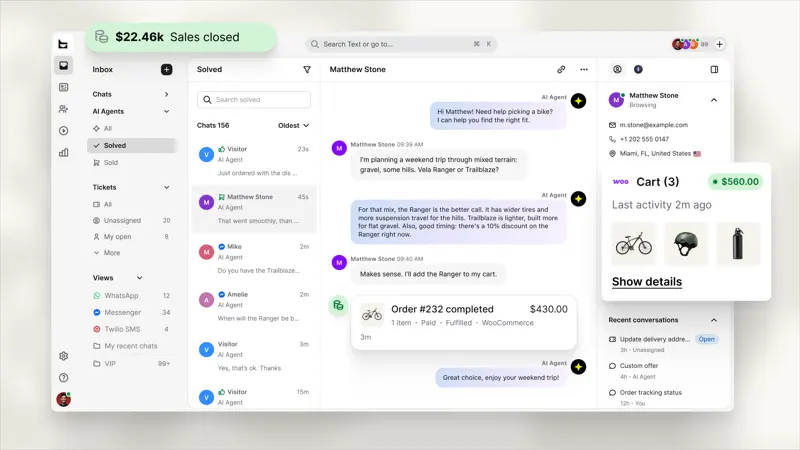
Text's WordPress and WooCommerce integration allows customer service representatives to reference visitor shopping carts and order history within a conversation, reducing repeat inquiries.
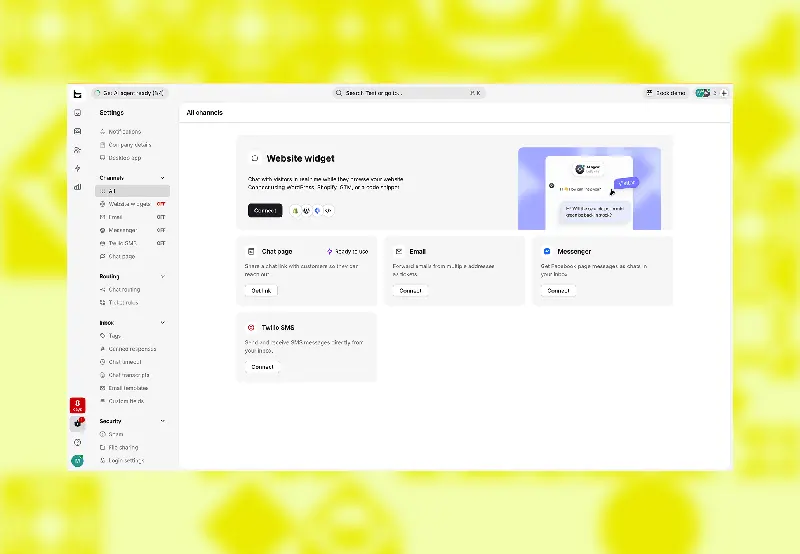
A new "Settings" page has been added, displaying each channel you can connect to (website widgets, email, instant messaging applications) and its current status.
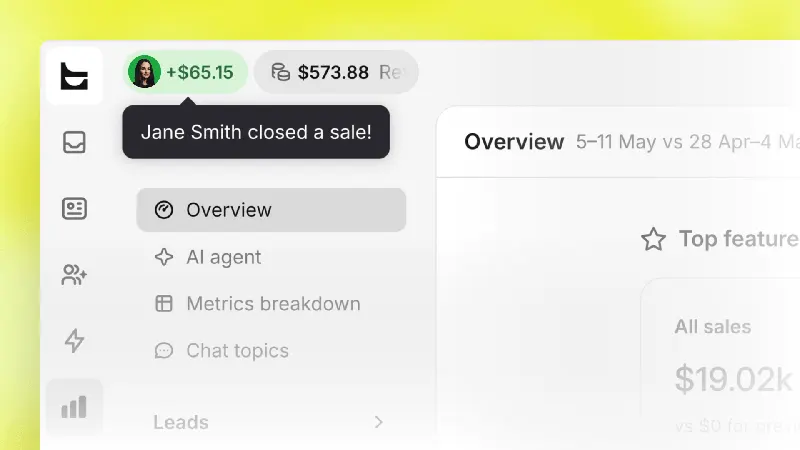
A counter will be continuously displayed at the top of the application, with three numbers changing throughout the day: sales revenue, qualified leads, and served customers.
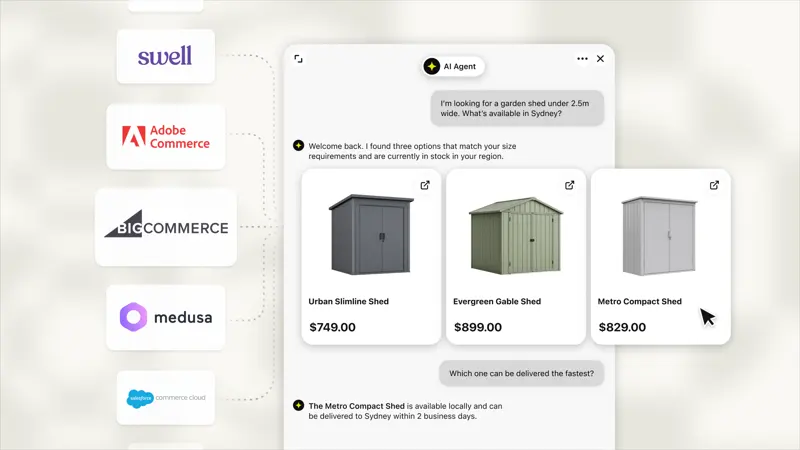
Regardless of what system your store runs, AI agents will now recommend products based on the product catalog you upload.
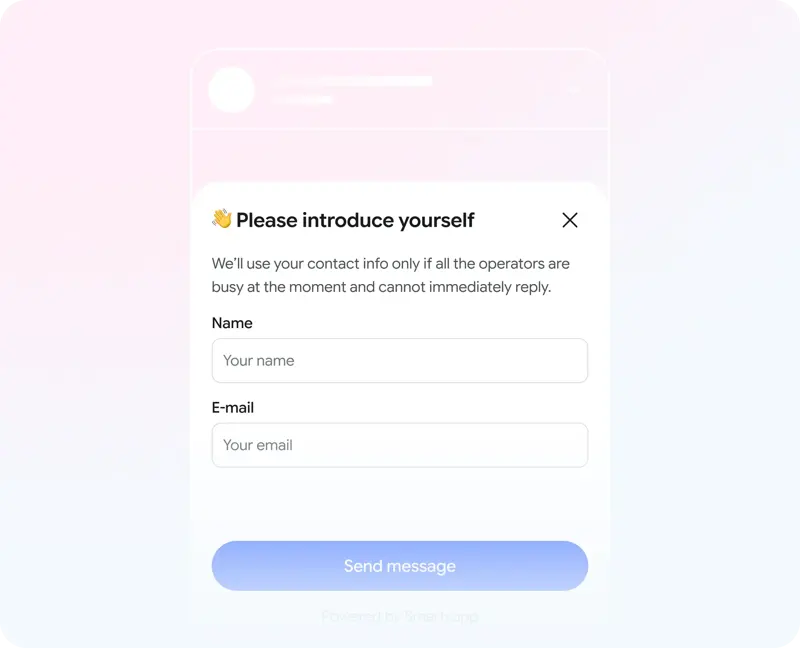
The same contact information form can be placed in different stages. Smartsupp's AI settings control when to ask for information, while the required fields are still determined by the chat window settings.
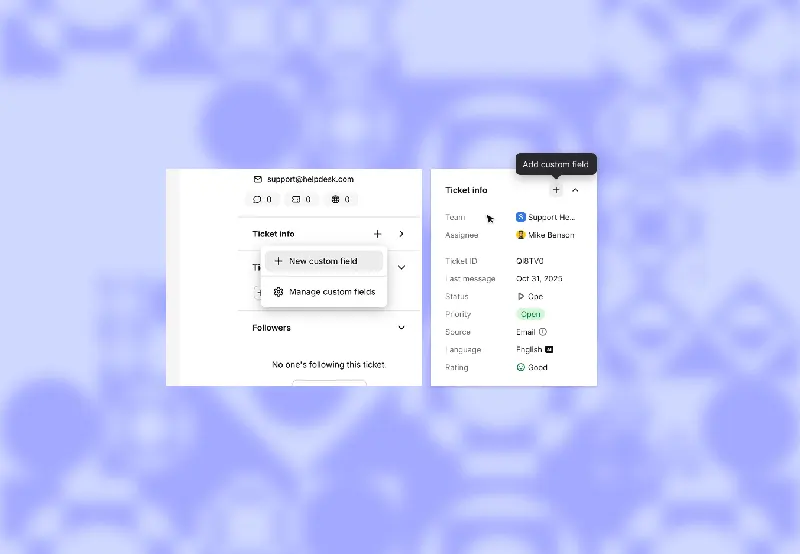
Placing order numbers in the remarks section makes them easy to miss, and using only labels for regions can easily result in multiple spellings. Text's custom fields for work orders allow you to assign names and types to these data, making them available for workflows and AI skills to read or update.
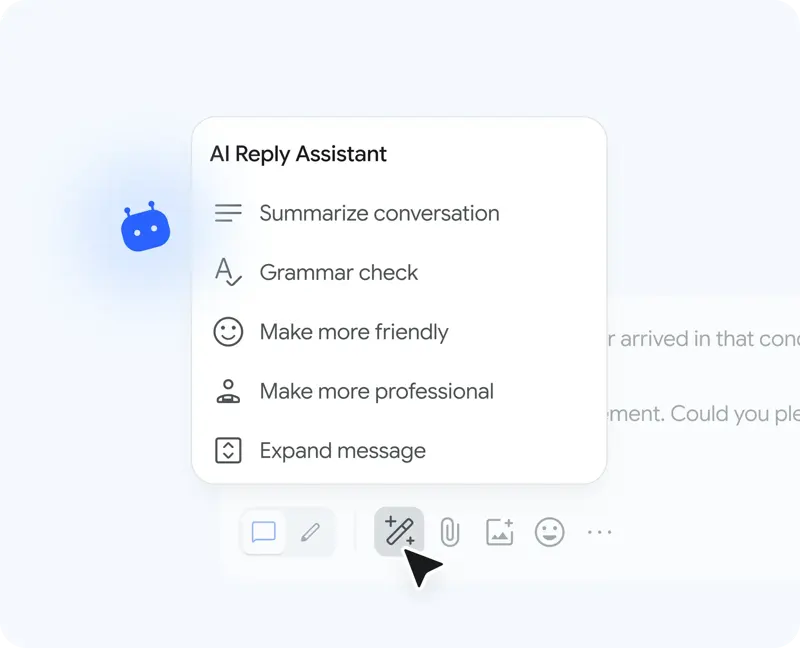
Conversation summary – A brief overview of the entire chat log

View today's sales figures without opening the Messages app. The new Real-Time Dynamics feature displays sales data in real-time on your lock screen, alongside your daily sales goals.
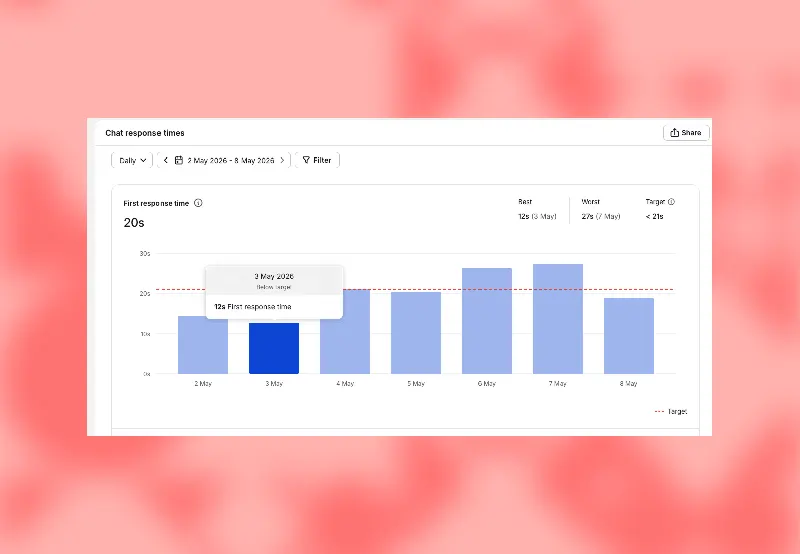
Managers can set targets for any individual metric report, either manually or by accepting suggested values based on recent results. Now, each report includes a line explaining the criteria for "good".
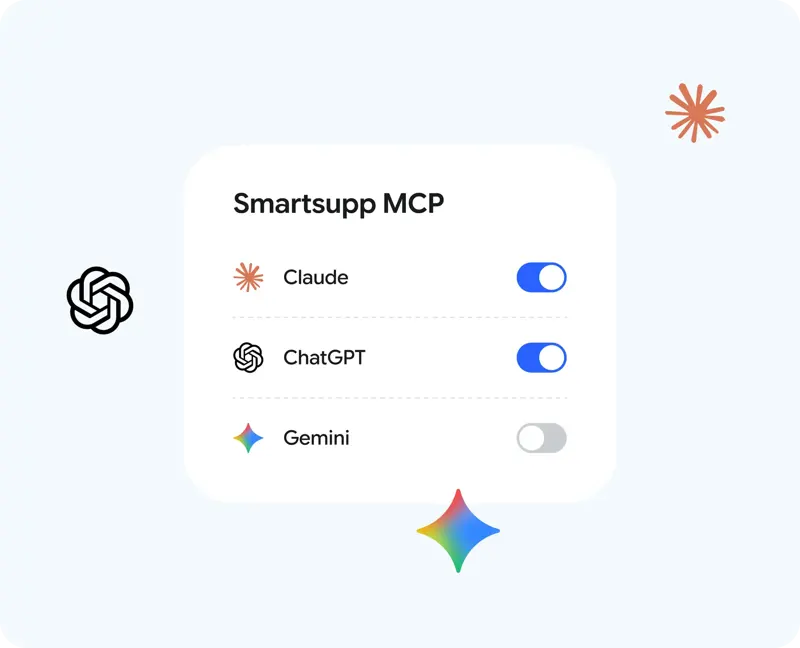
Connect the AI you already use to your Smartsupp account and run it simply by issuing a command.
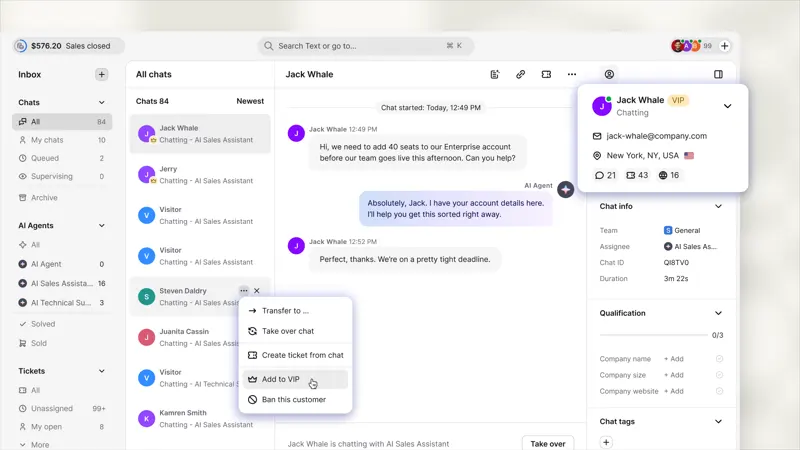
Customers marked as VIPs will have their chat history pinned to the top of the chat history, allowing staff on duty to prioritize replying to the most valuable customers.
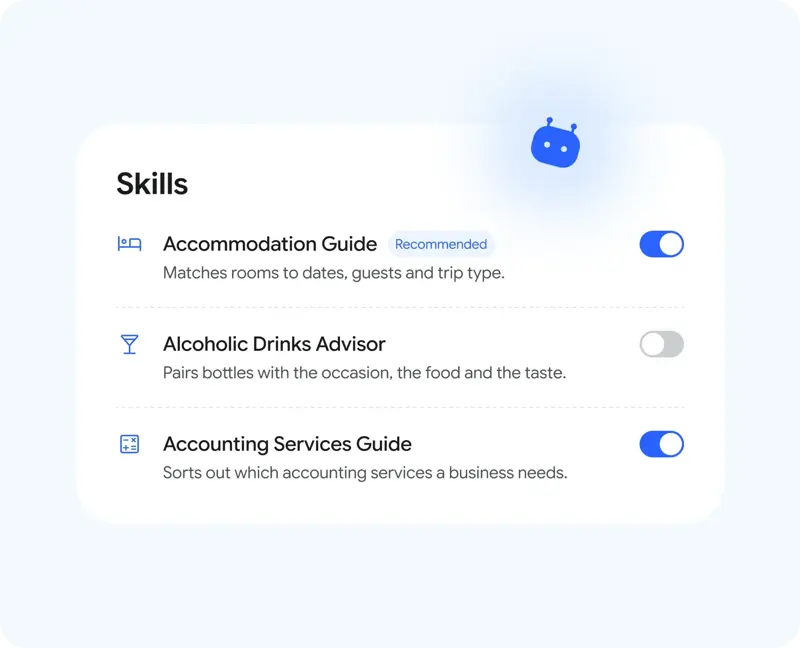
Smartsupp offers preset skills in its AI customer service. Once enabled, these skills provide the chatbot with information to ask in the industry and how to guide customers.
Tired of switching between multiple platforms? Now you don't have to wait any longer—WhatsApp has officially joined the fray.
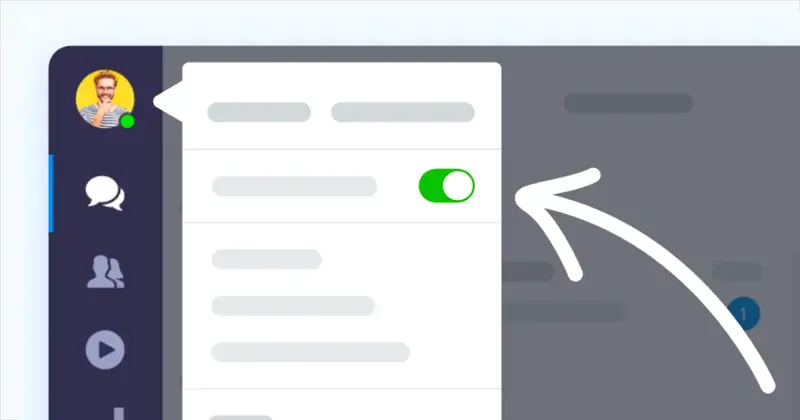
Smartsupp's workbench allows you to view and switch between agent online and offline status. When logging in again, verify that the status matches your current shift.

Smartsupp provides a mobile SDK that allows users to initiate customer service inquiries directly within the app, making it suitable for integrating mobile devices outside of the website into the same customer service process.

See which channel (AI customer service, human customer service, or chat form) has the highest conversion rate. The "New Lead Conversion Report" will provide you with a detailed analysis.
Track the number of support tickets processed between teams and team members, the most frequently used processing paths, and the personnel who send and receive the most support tickets. This feature is included in all administrator packages.
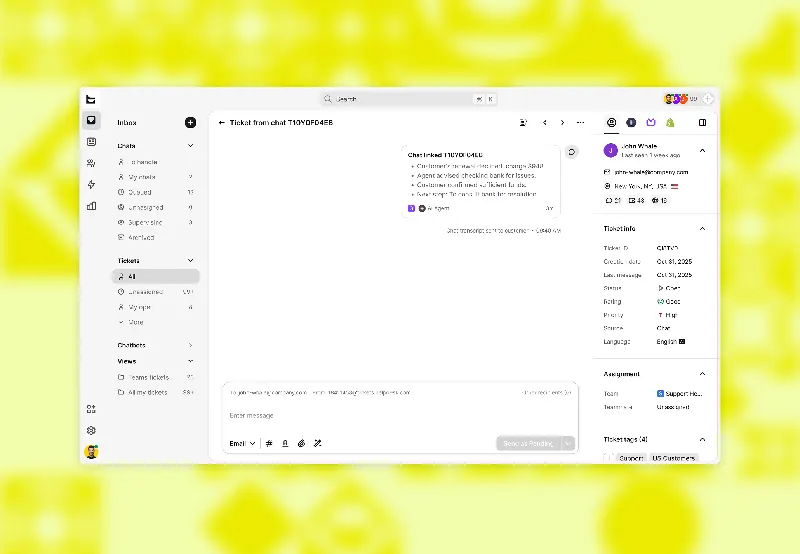
Text tickets created from chat can be viewed via the top chat card, which provides a summary of the original conversation and allows you to return to the original chat history.

The new version of Smartsupp brings a brand-new chat window, file sharing functionality, and a simple chatbot. Here's how to reply to offline messages.
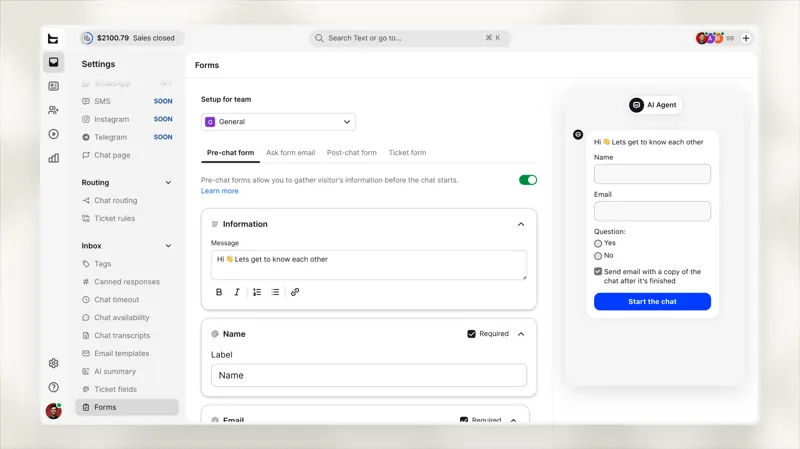
Both forms now share a single editor. For new accounts, the system will conduct a pre-chat so that your AI agent can ask for the necessary information during the conversation.
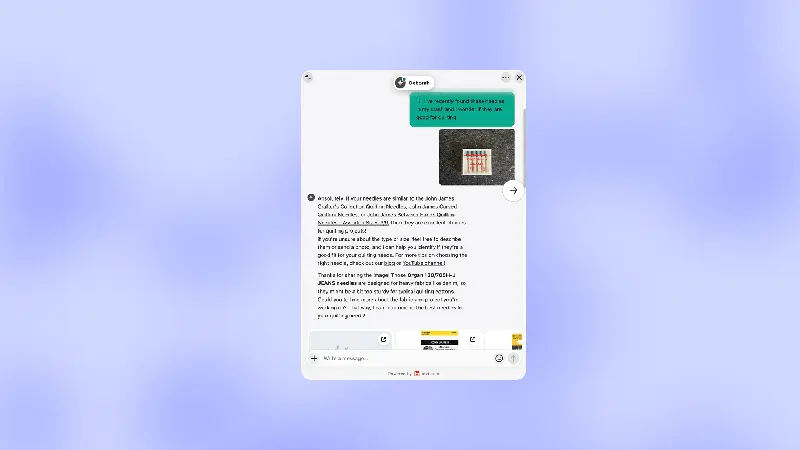
Buyers sometimes send only a photo or screenshot. Text's product update notes that AI customer service can read images during chat and allow custom skills to take different follow-up steps based on the image.
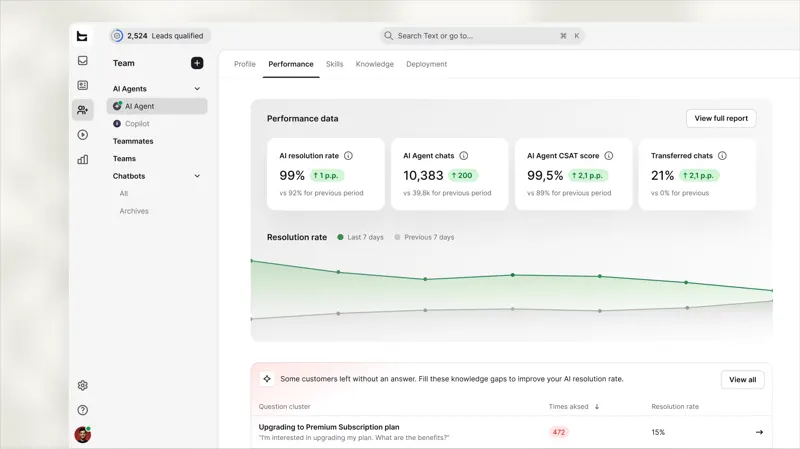
The "Performance" tab displays key metrics for your AI agent, along with its knowledge gaps, sorted by frequency of customer inquiries. Opening a gap reveals the chat history behind it.
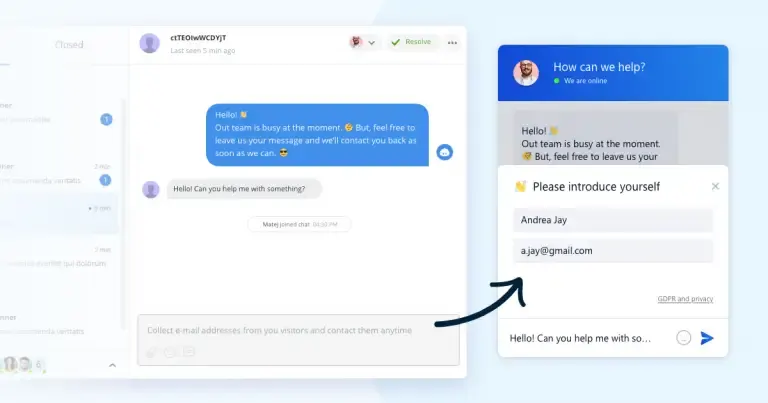
Smartsupp's pre-chat information form allows visitors to leave their contact information before consulting, preserving a channel for follow-up responses to issues that cannot be resolved on the spot.