Text · The target falls on a single indicator report
Managers can set targets for any individual metric report, either manually or by accepting suggested values based on recent results. Now, each report includes a line explaining the criteria for "good".
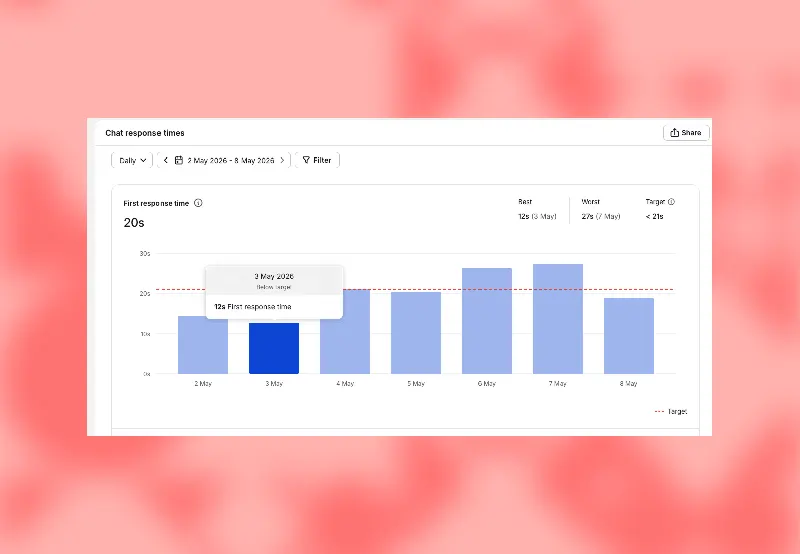
Administrators can manually set a value or accept a value suggested by the system based on recent results.
Open any single indicator report and set the target value.
A report with a target marker will make the problem appear as a target.
The team's established goal is to help managers identify successes more quickly and enable the team to continuously improve.
When comparing reports, fix the statistical time zone, filter conditions, and statistical period, and sample one data point from the original session. When the sample size is very small, consider both the quantity and proportion to avoid judging team performance based on occasional orders.