Smartsupp AI Customer Service Skills Configuration: Select Industry Capabilities and Validate Question/Answer Boundaries
Smartsupp offers preset skills in its AI customer service. Once enabled, these skills provide the chatbot with information to ask in the industry and how to guide customers.
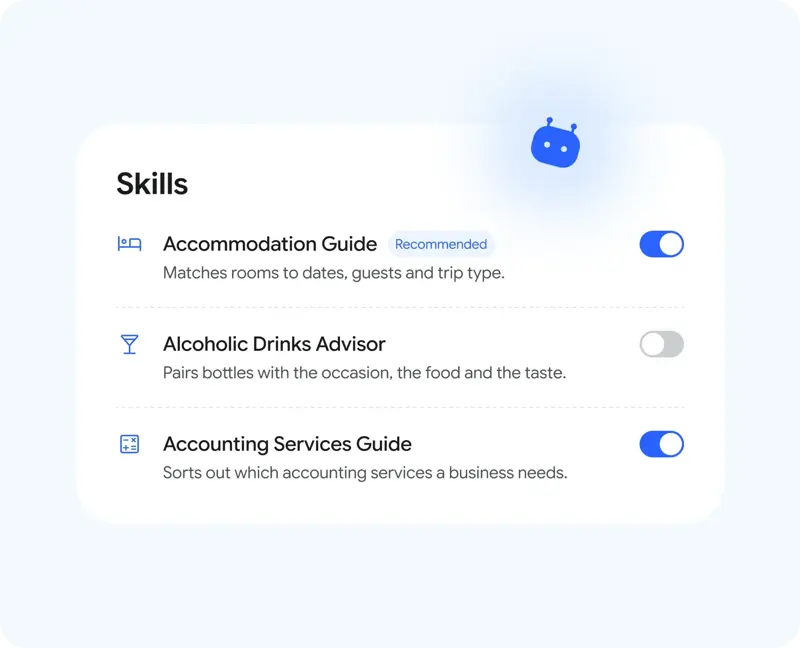
Open the AI Assistant Management window, select an existing customer service representative, and then enable the relevant project in the left-hand skills section. Create a representative if you don't already have one. For the initial launch, select only the most common business tasks, such as product selection or pre-sales data collection, to easily determine which settings have changed the responses.
Use a set of questions covering the target scenario for acceptance testing. For example, the seller might ask about size, usage location, and budget; check if the chatbot asks these questions in the appropriate order. Then, use an unrelated question to test if it forces its way into the sales process. Record "information obtained" and "correct advice given" separately.
Enabling preset skills will not automatically complete your product knowledge. Complete specifications, policies, and conditions that cannot be guaranteed still need to be maintained. For compatibility issues or customized delivery times that cannot be determined, manual confirmation will be arranged before deciding whether to open them to more markets.