Text Ticket Merging Guide: Master Ticket Selection, Old Email Replies, and Field Retention
When the same buyer inquires about the same issue from multiple email threads, the records can be merged into a single master ticket in the Text field. Before proceeding, verify the buyer's identity and field information, as the merge cannot be reversed.
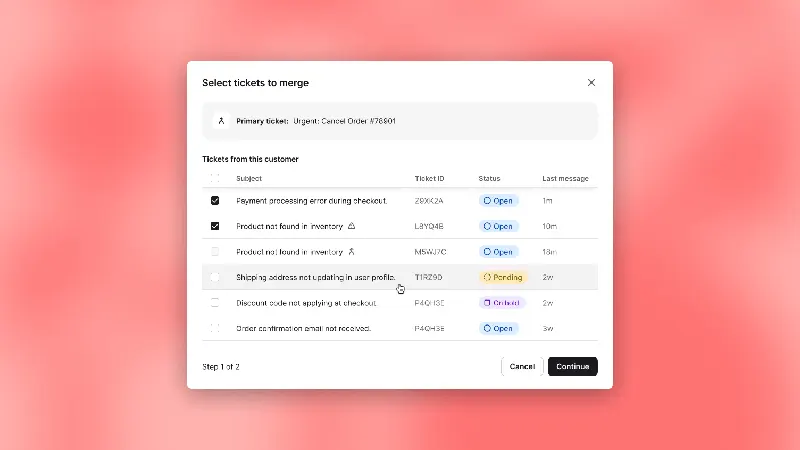
From the work order you want to keep, go to "More Actions" and select other work orders to merge. The work order you are currently viewing will become the master work order. All records must belong to the same customer, and the operator must have edit permissions for all related work orders; a master work order cannot be merged into another master work order.
After merging, the sub-ticket is closed and becomes read-only, but its complete history can still be traced from the main ticket. When the customer continues to reply to the original email thread, subsequent messages will be directed to the main ticket. Tags, followers, and other recipients will be imported into the main record; recipients should be checked for accuracy before confirmation.
Only custom fields in the main work order are retained. If a sub-work order contains a unique order number or service area, verify and add it to the main record before confirming. During internal drills, have the buyer reply to two old emails separately to check if the staff on duty can follow up from only one location.