Text · Find customers based on your true understanding of them
Custom customer fields are now visible and filterable in real-time data and contacts.
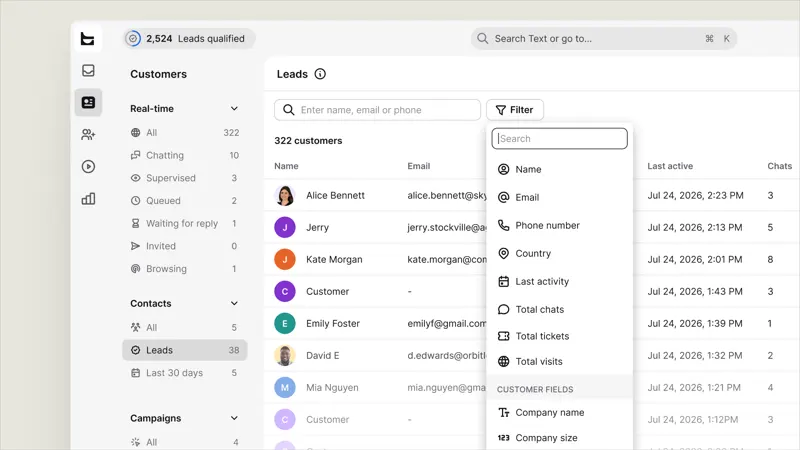
Now, the customer fields you defined will be displayed as columns, and you can filter them in "Live" and "Contacts". Therefore, to find each customer within a budget, you can simply use the filter without scrolling.
You can filter clients by company size, budget range, timeframe, or any other criteria you define, and the list will only return clients that meet the criteria.
In addition, both pages (Relax-time and Contacts) have search boxes so you can jump directly to what you're looking for, and loading indicators show when the results are still loading.
The customer field, along with activity, location, contact information, and visit history, is added to the existing filters in live and contacts.
I went through the entire process of a real cross-border consultation, following up from the buyer's initial questions to the final response. I recorded which steps required repeated explanations, switching applications, or waiting for colleagues, and then listed the longest steps as key areas for trial use.