Text · See who you are chatting with without leaving the list
Hover your mouse over any customer's name or avatar to view their status, contact information, and quickly copy their profile.
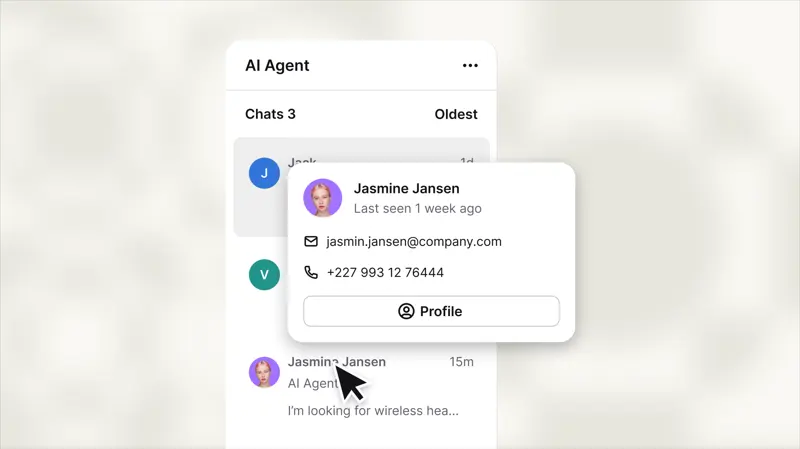
Now, hovering the mouse over any part of the inbox list will open a customer card, so seeing who is waiting doesn't mean opening a chat window you're not ready to reply to.
Name and avatar, with a quick copy option.
The customer card will provide details of the email, which can be viewed without opening each chat history.
Simply hover your mouse over any customer's name or avatar in the inbox list to view their profile.