NetSuite: Add LiveChat to your SuiteCommerce
Add LiveChat to your SuiteCommerce website to gain an extra channel to communicate with customers and close more deals along the way!
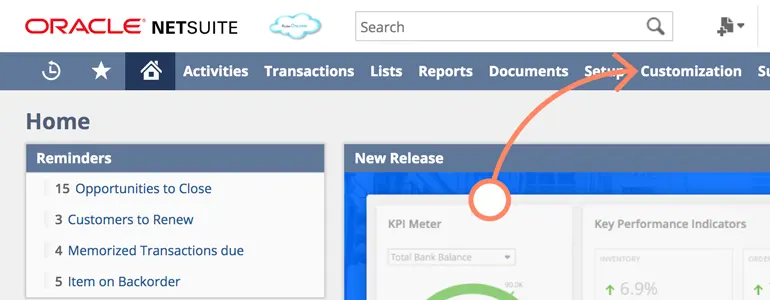
First, log in to your NetSuite control panel and then go to the "Customize" section.
Next, please proceed to the SuiteCommerce Advanced section.
NetSuite LiveChat: Add LiveChat to your SuiteCommerce
Wow! The process of implementing LiveChat on your SuiteCommerce website is now complete, and you can start helping your customers immediately.
Upon completion of installation, the acceptance log should include the test page, test equipment, message sending time, and agent receiving time. If simply seeing the chat icon is insufficient to confirm message delivery, a two-way reply should be completed.