LiveChat · Manage your subscriptions
Learn how to easily set up, renew, or modify your LiveChat subscription and ensure uninterrupted access to powerful customer communication tools.
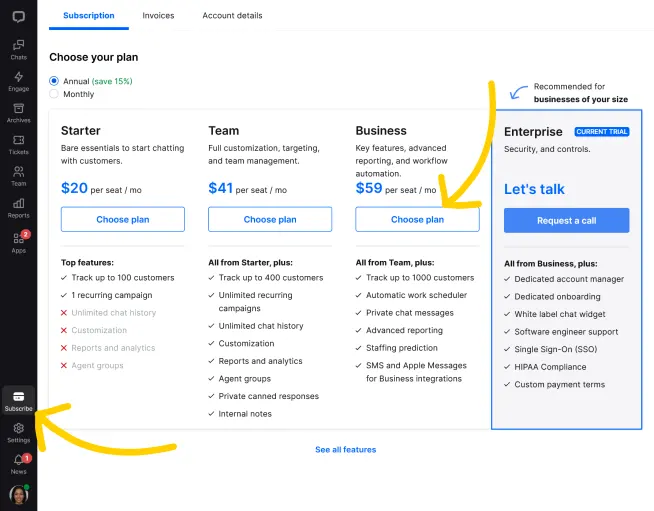
Owners and administrators with subscription rights can switch plans, change the number of paid agent accounts, adjust billing cycles, and make other subscription-related changes at any time.
Owners or administrators with subscription privileges can pause the agent in the "Team" section.
Log in to the online chat system and then go to the "Bills" page.
Click "Update Subscription" to complete the operation.
Upon completion of installation, the acceptance log should include the test page, test equipment, message sending time, and agent receiving time. If simply seeing the chat icon is insufficient to confirm message delivery, a two-way reply should be completed.