LiveChat · Add online chat functionality to your Weblium website
Add a top-tier online chat plugin to your Welium website. Utilize advanced tools integrated into a single application to interact with visitors, provide support, sell products, and drive conversions.
Follow these simple steps to install LiveChat on your Weblium website.
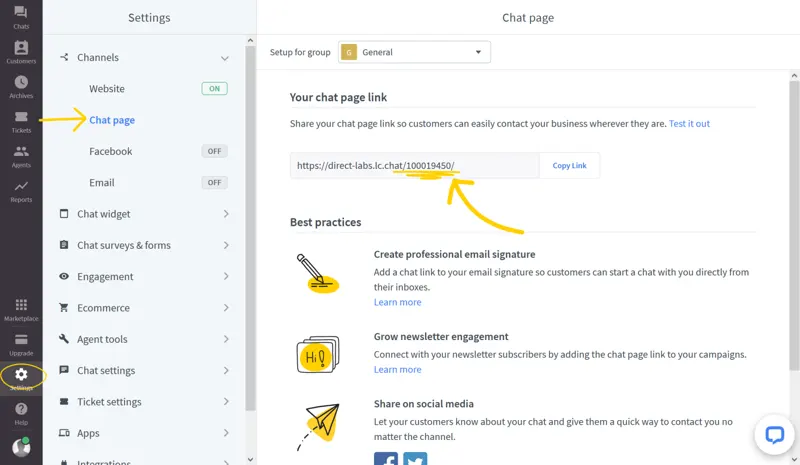
After logging in, go to "Settings" > "Channels" > "Chat" and copy your LiveChat ID from the link on the "Chat" page.
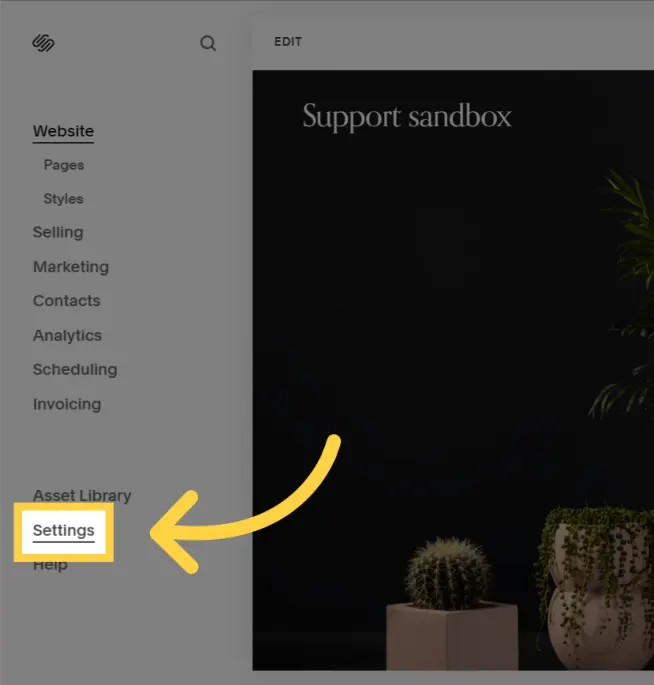
Now go to your Welium control panel, go to Settings, and then select Chat.
Click “Online Chat”, enter your online chat ID in the “Online Chat ID” field, and then click “Connect”.
Upon completion of installation, the acceptance log should include the test page, test equipment, message sending time, and agent receiving time. If simply seeing the chat icon is insufficient to confirm message delivery, a two-way reply should be completed.